
Was anyone there – and when?
After a night of snow, the client asks. Without proof, it is one word against another.
For facility service providers
Areal connects your dispatch team with the staff out in the field: dispatch triggers the operation, the crew works through its route in the app, and every site is documented with time and photos.
Web console for the office · Android app for field staff · also works offline
After a night of snow, the client asks. Without proof, it is one word against another.
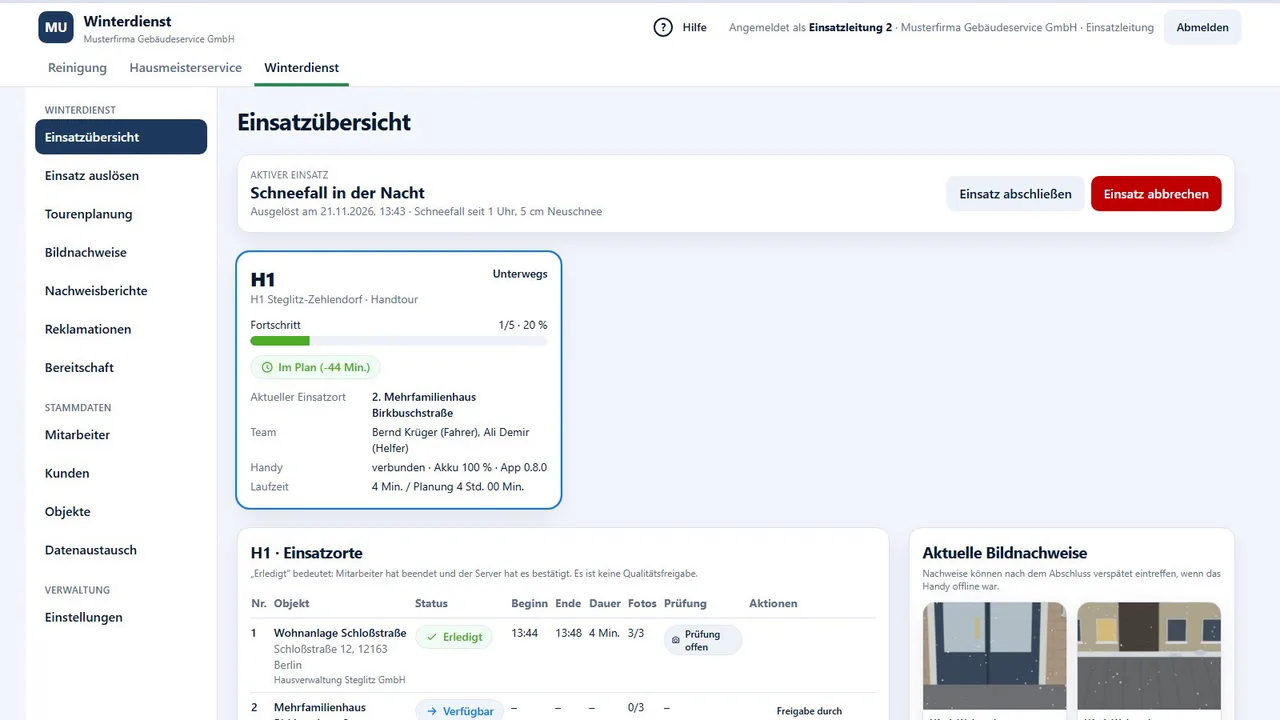
Who is out, which site is done, where is there a problem? Dispatch is left calling around.
Proof is scattered and has to be pieced together for every query.
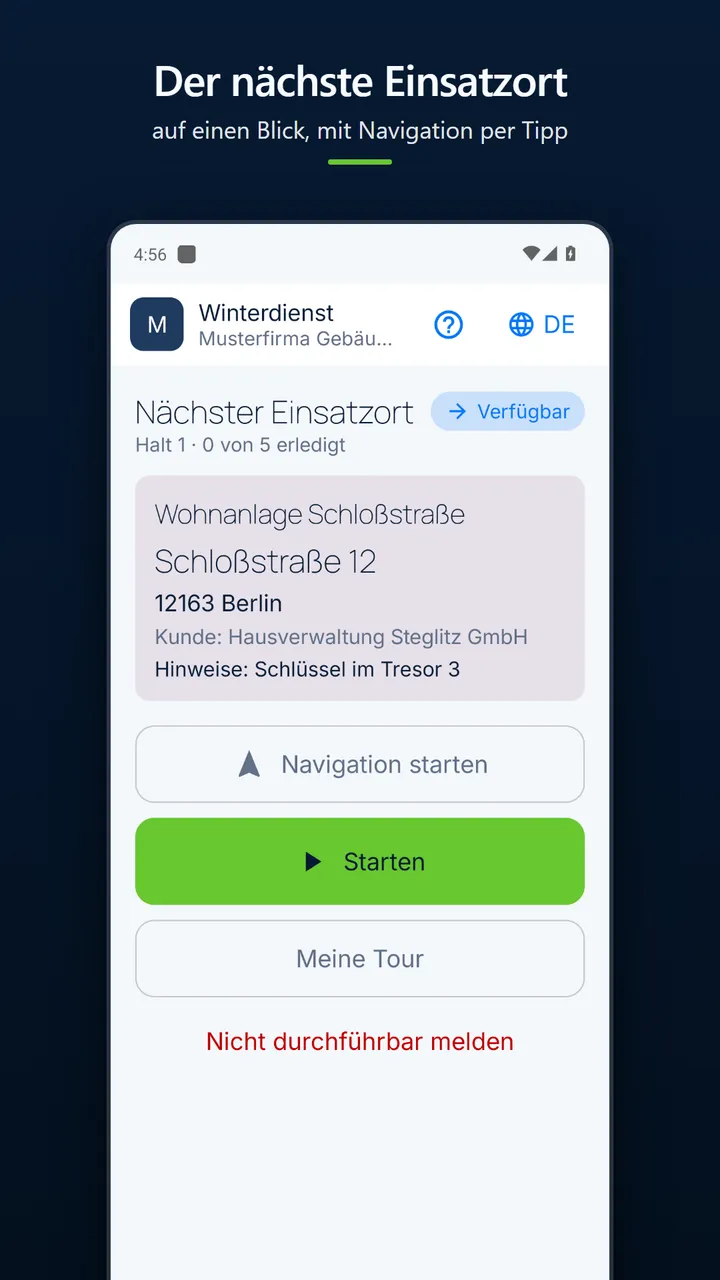
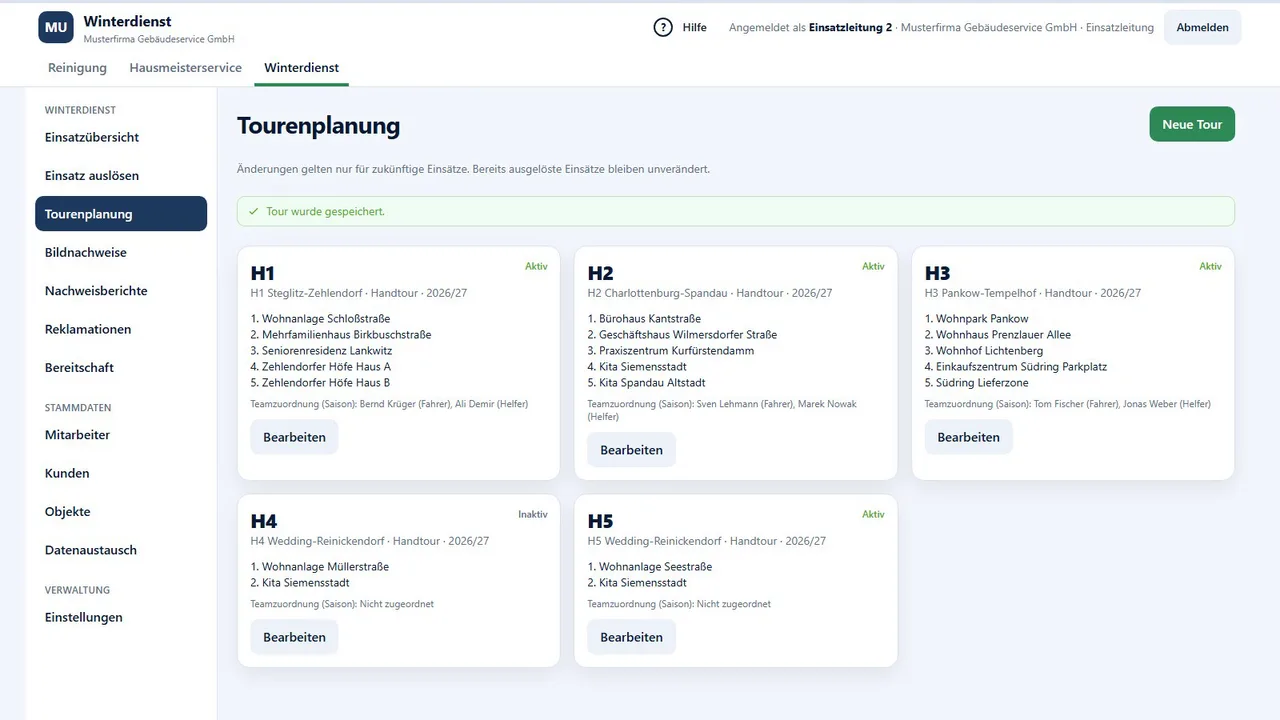
Select routes, start the operation. The assigned staff see their route in the app immediately.
Dispatch sees for each route which sites are open, in progress, done or not feasible.
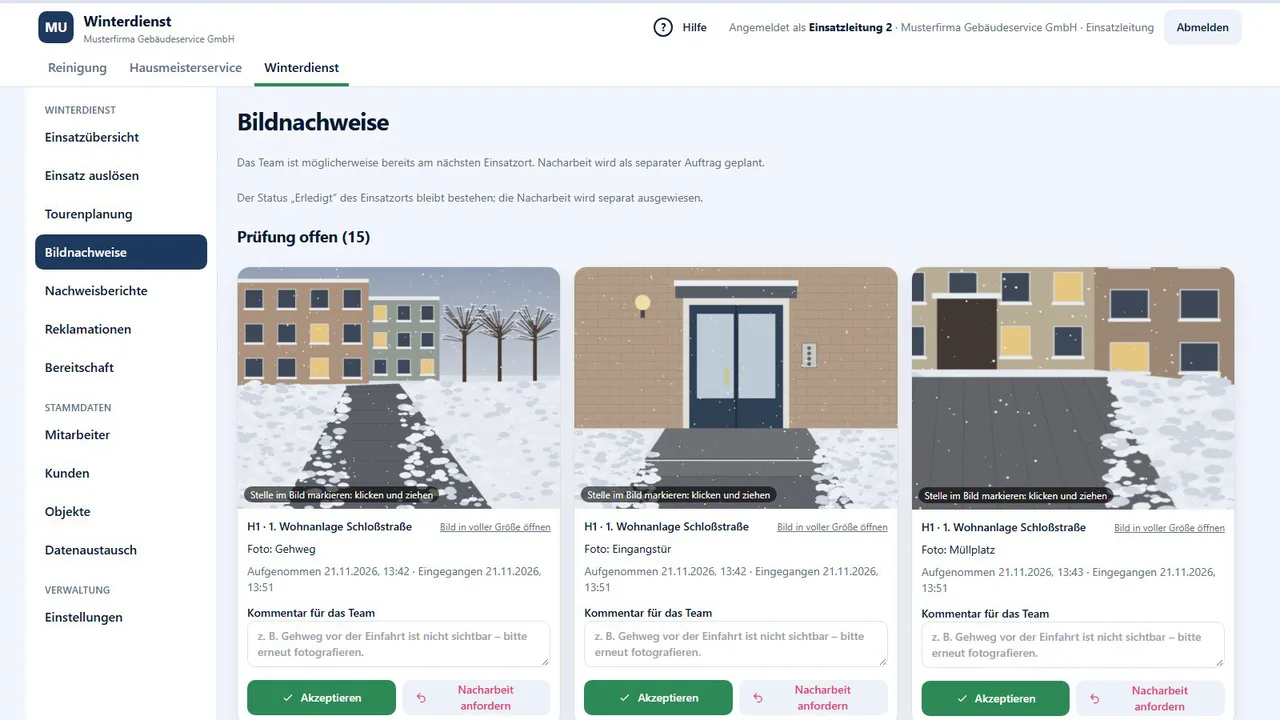
For each site, you define which photos are required. The app guides the employee through exactly these shots.
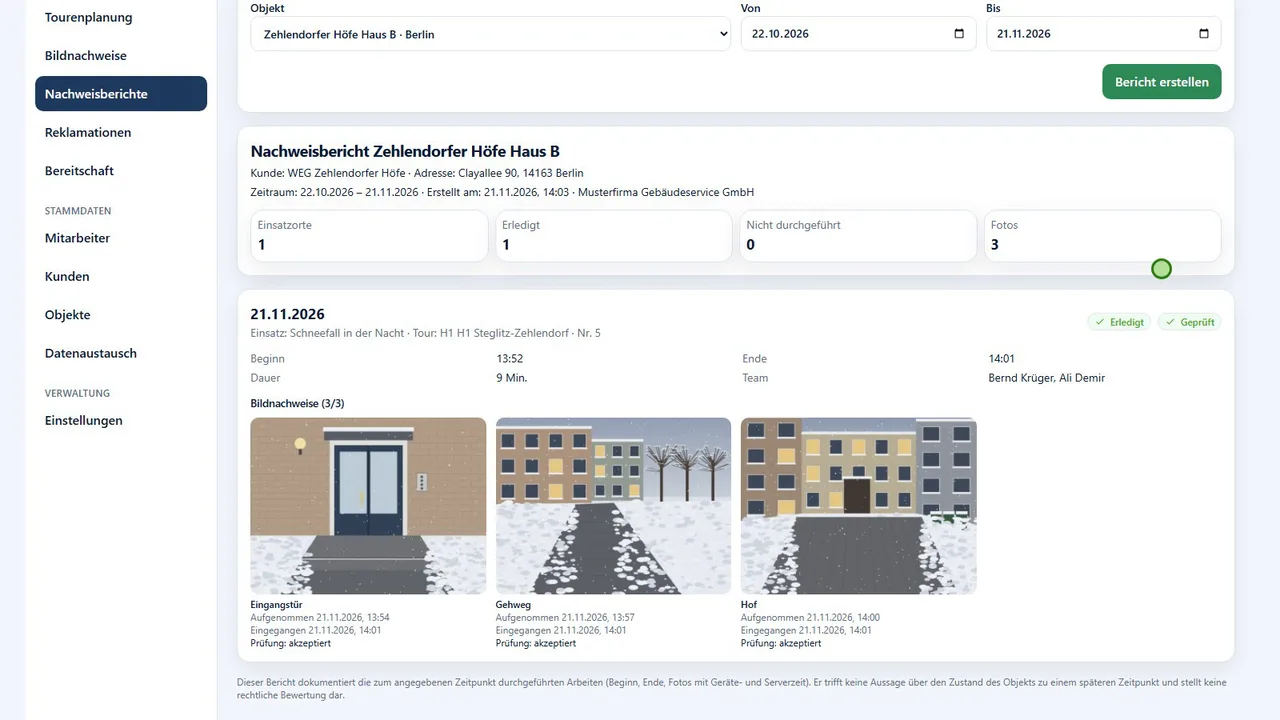
Dispatch reviews the photos, requests rework if needed and creates the proof-of-service report for the client.
The app stores everything on the device and transfers it automatically as soon as a connection is available again.
Clients, sites and routes can be exported and imported as a file.
Create or import clients, sites, routes and employees.
Dispatch starts the operation for the selected routes.
Start, take photos, finish – one step per screen.
Review photos, create the proof-of-service report.
In the browser, no installation. Trigger and track operations, plan routes, organise on-call duty, review photo proof. The console is available in German, English and Spanish.
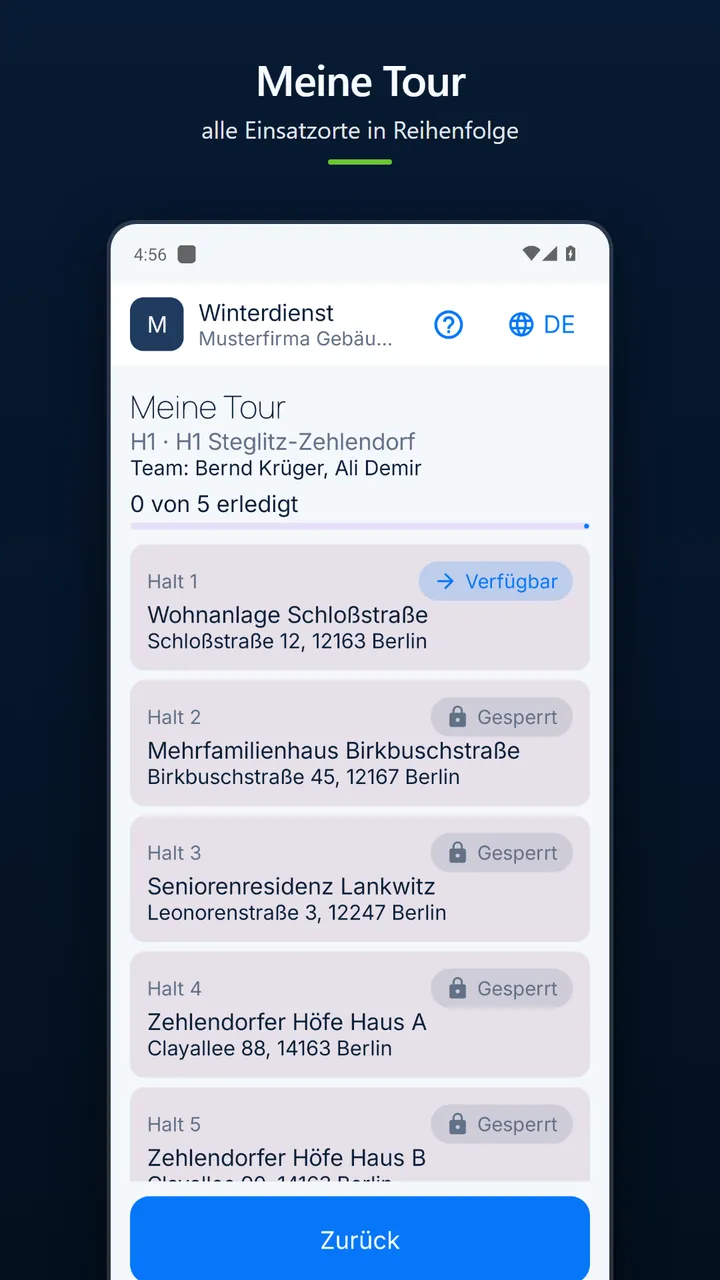
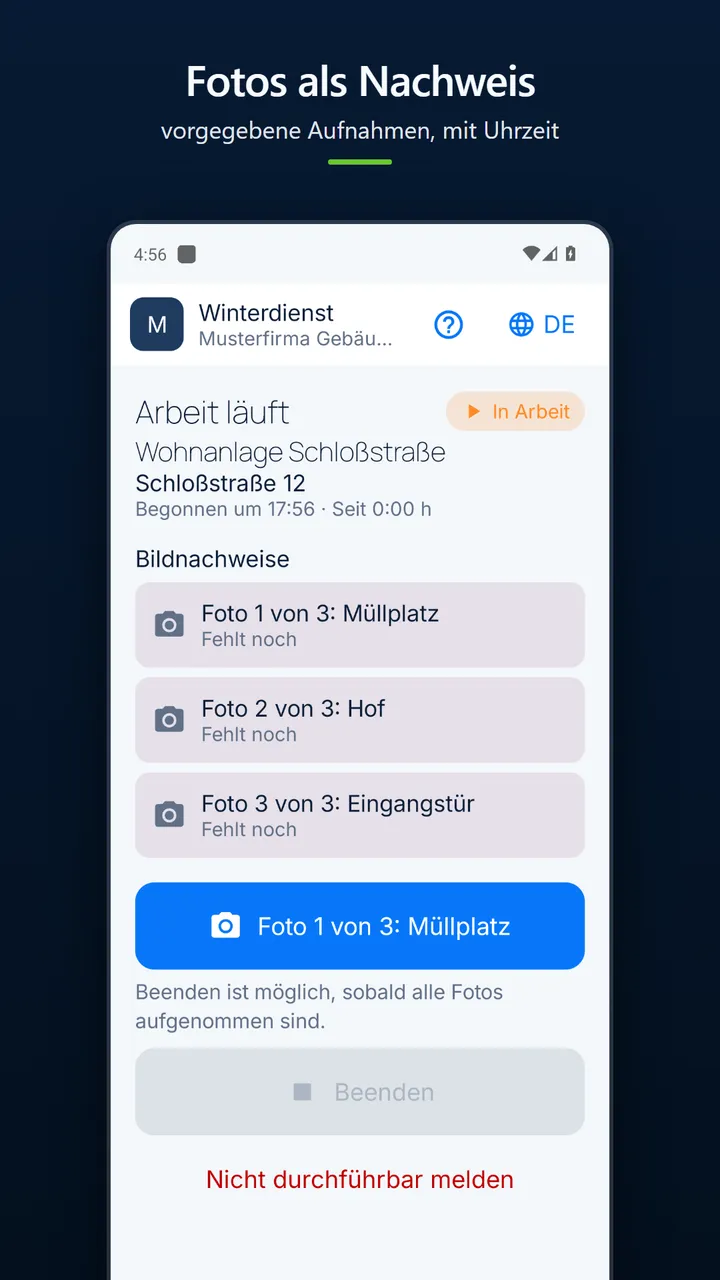
Made for work outdoors: large buttons, one step per screen, high-contrast display for night and snow, usable even with gloves.
Android. Employees receive access from their employer.
Each employee chooses their language with one tap on the globe. You decide which languages are offered.
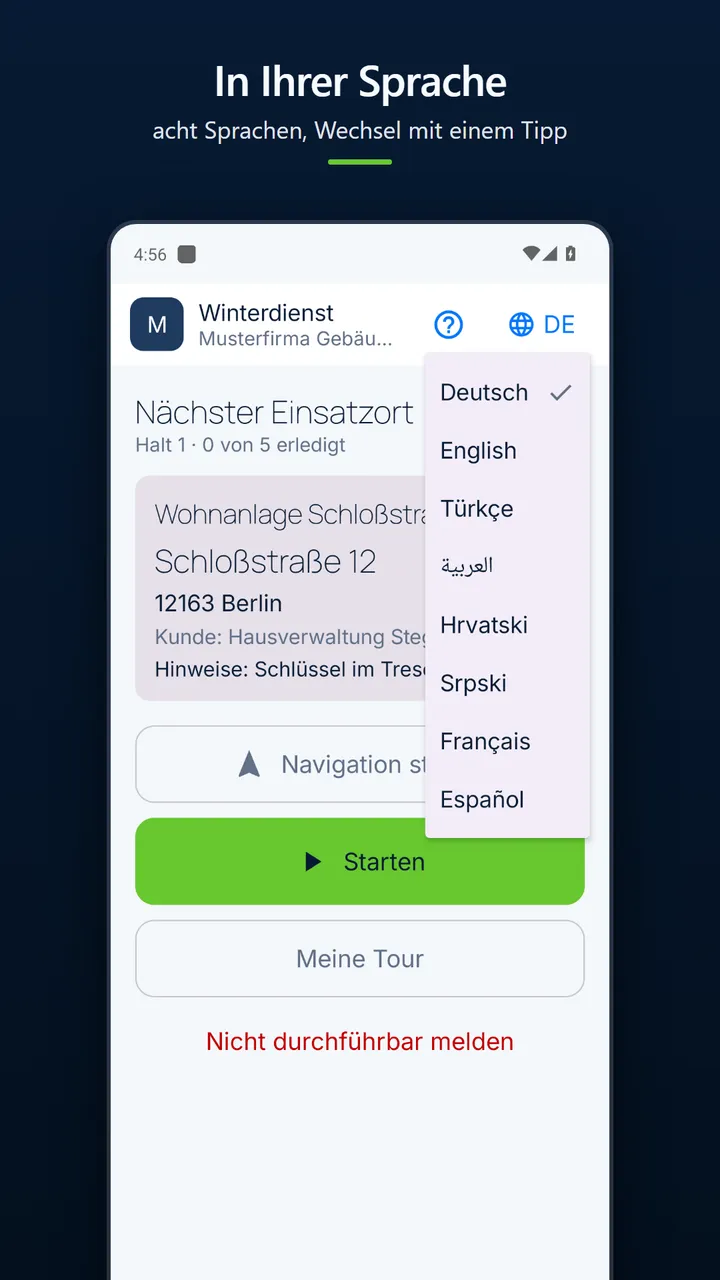
After sign-in, the console and the app show your company's name, logo and colours. Each company sees only its own data.
Dispatch control and proof of service, from triggering to the proof-of-service report.
Encrypted transmission, photos in non-public storage.
Strict separation of companies: each tenant sees only its own data.
No advertising, no tracking in the app. Location is only recorded if you switch the feature on and have informed your employees.
Clicking loads the video from YouTube.
Clicking loads the video from YouTube.
Clicking loads the video from YouTube.
All tutorials on the Areal Academy channel(opens in a new tab)
We will show you Areal using a demo company and discuss how your routes and sites get into it.
Write an emailinfo@covote.eu